
You've probably got videos sitting in your phone's gallery right now. Ten of them, maybe more. Filmed, half-edited, maybe even captioned. And not one of them has been uploaded.
This is the most common starting point for a YouTube channel: not zero content, but zero courage to hit publish. The fear usually sounds like "no one is going to watch this" or "I'll post once I look more polished." So the videos sit there, and the channel never actually starts.
Here's the thing — every channel you admire today started with someone hitting publish on a video that also felt embarrassing to them at the time. This guide walks through what to actually do, in order, so you stop planning and start posting.
Step 1: Pick a topic you can talk about for 100 videos, not 1
Most beginners pick a topic based on what feels exciting this week — a trending format, something a friend suggested, whatever got views for someone else. That's the wrong filter.
The right question is: could you make 100 videos about this without running out of things to say? If you love cooking but only know five recipes, that's a hobby, not a channel. If you can talk endlessly about budgeting, local food spots in your city, fitness for beginners, or fixing bikes, you've got a topic with legs.
You don't need to niche down to something ultra-specific on day one. "Personal finance for Indian college students" is more sustainable than just "finance," but you can refine that over your first 20-30 videos as you see what you enjoy making and what people respond to.
Step 2: Set up the channel properly before you post anything
This part takes an evening, not a week. But it matters — a half-set-up channel makes even a good video look unfinished.
Channel name
Pick something short, easy to say out loud, and easy to spell. Avoid numbers and symbols that are hard to remember. If you're building a personal brand, your own name works fine. If it's topic-based, keep it directly related to what you make.
Banner and profile picture
You don't need a designer. A clean banner with your channel name, what you post about, and a posting schedule (even just "new videos every week") is enough. Canva has free YouTube banner templates sized correctly — use one.
Channel description
Write two or three plain sentences: who you are, what you post, and why someone should stick around. Skip the keyword-stuffed paragraphs you see on old channels — search doesn't reward that anymore, and it reads badly to actual humans.
Step 3: Plan your first 5 videos before you publish any of them
This is the step almost everyone skips, and it's the one that saves a channel from dying in week two.
Sit down and write out five video ideas before you upload video one. Not scripted word-for-word necessarily, but at least a title and three or four points you want to cover in each. Why five specifically? Because it forces you to prove to yourself that the topic has legs, and it means you're never sitting there on a Tuesday with nothing to film.
If you're struggling to come up with five ideas in your chosen topic, that's useful information — it might mean the topic needs to be broadened, or it means you need to spend more time researching what questions your audience actually has.
The equipment myth: what you need vs. what you don't
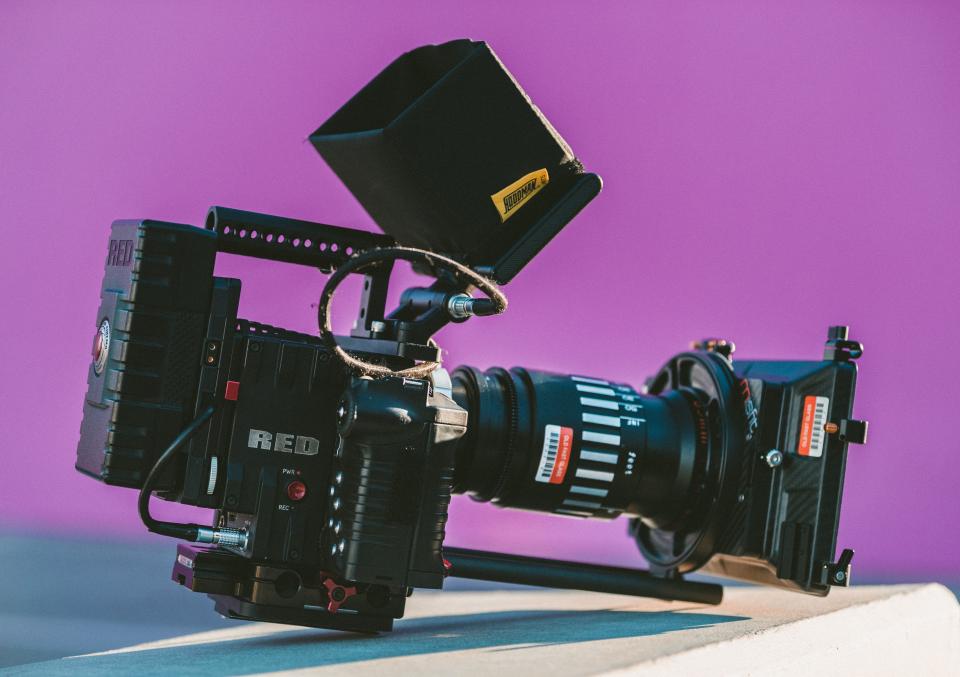
Here's where a lot of first-timers get stuck for months. They decide they need a proper camera, a ring light, a shotgun mic, and a clean backdrop before they can start. Then they spend three months researching gear instead of making videos.
What you actually need to start:
- A phone from the last few years. Any mid-range smartphone camera from 2020 onward shoots better video than YouTube's biggest channels used ten years ago.
- Decent lighting. This means facing a window during the day, or a single affordable LED panel light. Lighting affects video quality more than the camera does.
- Clear audio. A ₹500-1000 clip-on lavalier mic or a basic USB mic if you're filming at a desk. Viewers forgive rough visuals far more easily than they forgive audio they can't hear properly.
What you don't need yet:
- A DSLR or mirrorless camera
- A dedicated studio or set
- Professional editing software with a steep learning curve
- A green screen, teleprompter, or multi-camera setup
All of that becomes worth investing in once you have a channel that's actually running — once you know your format, your upload rhythm, and what your videos need. Buying it beforehand is just an expensive way to delay starting.
The mindset shift: your first 20 videos aren't for going viral
This is probably the single most useful thing to understand before you post video one: your first 20 videos exist to teach you your own voice and your own workflow. They are not auditions for virality.
Think about what you're actually learning in those early videos — how to talk naturally on camera without freezing up, how long it realistically takes you to film and edit something, what your editing style ends up being, how to write a hook that doesn't sound forced. None of that shows up instantly. It shows up by video 8, or video 15, or video 20.
If you walk in expecting video 3 to blow up, every quiet view count is going to feel like proof you should quit. If you walk in expecting to just get better and faster with each upload, quiet view counts stop being a verdict on you — they're just where you are on the curve.
What beginners think they need vs. what actually matters
| Area | What Beginners Think They Need | What Actually Matters at the Start |
|---|---|---|
| Equipment | DSLR, ring lights, a full setup | A phone, a window for light, clear audio |
| Editing polish | Cinematic transitions, complex effects | Clean cuts, no dead air, easy to follow |
| Consistency | Posting daily or going viral fast | A rhythm you can actually sustain for months |
| View count expectations | Thousands of views by video 3 | Learning your voice and workflow by video 20 |
Common mistakes first-time YouTubers make
- Waiting for "perfect" equipment. The camera upgrade, the better mic, the nicer background — all used as reasons to delay filming instead of reasons to actually improve a video that already exists.
- Quitting after 5 videos with low views. Five videos is barely enough data to judge anything. Most channels that eventually work took 15-30 videos before anything clicked.
- Copying a niche that doesn't actually interest them. Picking a topic because it looks profitable rather than because there's something to say — this runs out of steam fast, usually right around video 6 or 7.
- Obsessing over subscriber count instead of watch time. A small audience that actually watches till the end matters more early on than a bigger number that scrolls past.
- Overthinking the intro. Long, scripted, over-produced openings lose viewers in the first ten seconds. Get to the point.
- Never watching their own videos back. This is how you catch the habits — filler words, pacing issues, rambling — that are easiest to fix early.
A realistic first-month plan
- Week 1: Pick your topic, set up the channel (name, banner, description), and write down five video ideas.
- Week 2: Film and publish your first two videos. Don't wait for them to be perfect — just get them out.
- Week 3: Publish two more videos. Watch your own uploads back and note one thing to improve each time — pacing, audio, framing, whatever stands out.
- Week 4: Publish your fifth video and review the month honestly. What took longer than expected? What did you enjoy filming? What would you change about your setup or topic going into month two?
The view count on your fifth video tells you almost nothing about whether your channel will work. The fact that you made five videos on a consistent schedule tells you almost everything.
When it's time to stop doing it all yourself
DIY is the right way to start — it's how you learn what your channel actually needs before you spend money on it. But there's a point where the channel outgrows what you can manage solo: when editing is eating hours you don't have, when you know what's working but can't execute it fast enough, or when you're ready to scale posting frequency without burning out.
That's usually where a production studio makes sense — not to replace your voice on camera, but to handle scripting support, filming, editing, and publishing so the channel can grow at a pace you couldn't hit alone. If you're at that stage, you can see Kakshlink Production's services or get in touch to talk through what your channel needs next.
Frequently asked questions
Do I need an expensive camera to start?
No. A recent smartphone camera is good enough for your first several months of content. Good lighting and clear audio matter far more to how professional a video looks than the camera itself. Save the camera upgrade for once you know your format and are consistently posting.
How often should I post as a beginner?
Pick a schedule you can actually sustain — once a week is a solid, realistic starting point for most beginners balancing other work or studies. Consistency at a manageable pace beats an ambitious schedule you abandon after two weeks.
What if my first videos don't get views?
That's normal and expected. Your first 10-20 videos are mainly for building your own skills and figuring out your format — treat low views as data about your workflow, not a verdict on whether you should continue. Most channels that eventually grow had a quiet start.
When should I consider hiring help?
Once you have a clear sense of your format and posting rhythm, but editing, scripting, or filming is taking more time than you can sustain, that's a good point to bring in help — whether that's a freelance editor or a production studio that can manage the workflow end-to-end.